
Change
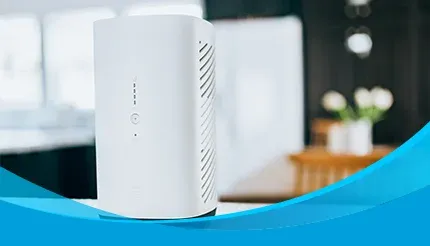
A white AT&T wireless internet gateway sits on a white kitchen counter near tulips.

AT&T 5G Home Internet (formerly Internet Air) support

If you want to contact AT&T 5G Home Internet (formerly Internet Air) customer service, call 800-288-2020 for billing, account, and technical support. If you'd rather troubleshoot first, this guide covers AT&T 5G Home Internet, All-Fi Hub lights, slow speeds, moving service, and equipment returns.

A white AT&T wireless internet gateway sits on a white kitchen counter near tulips.
Jump to

AT&T 5G Home Internet customer service numbers

If you need to speak with AT&T 5G Home Internet (formerly Internet Air) support, use the number that matches your reason for calling.

What you need
Number
Hours
AT&T 5G Home Internet technical support
Daily (7 days/week): 10 a.m.–7 p.m. CT
Billing and payments
M–F: 8 a.m.–8 p.m. CT | Sat: 9 a.m.–7 p.m. CT | Sun: Closed
New service, moving, or plan changes
M–F: 8 a.m.–8 p.m. CT | Sat: 9 a.m.–7 p.m. CT | Sun: Closed

What the lights on your All-Fi Hub mean

Before figuring out what an All-Fi Hub light means, identify your model. AT&T 5G Home Internet uses several All-Fi Hub models, including the BGW530, BGW830, and CGW450, and their light systems aren't identical. Don't use instructions for AT&T Fiber gateways such as the BGW320 or BGW620 to troubleshoot a 5G Home Internet hub.

How to find your All-Fi Hub model number

Look at the identification label on your All-Fi Hub. The model information is printed on the equipment label, so check the hub itself rather than relying on the device's appearance alone. Once you've confirmed whether you have a BGW530, BGW830, or CGW450, follow the corresponding light information.

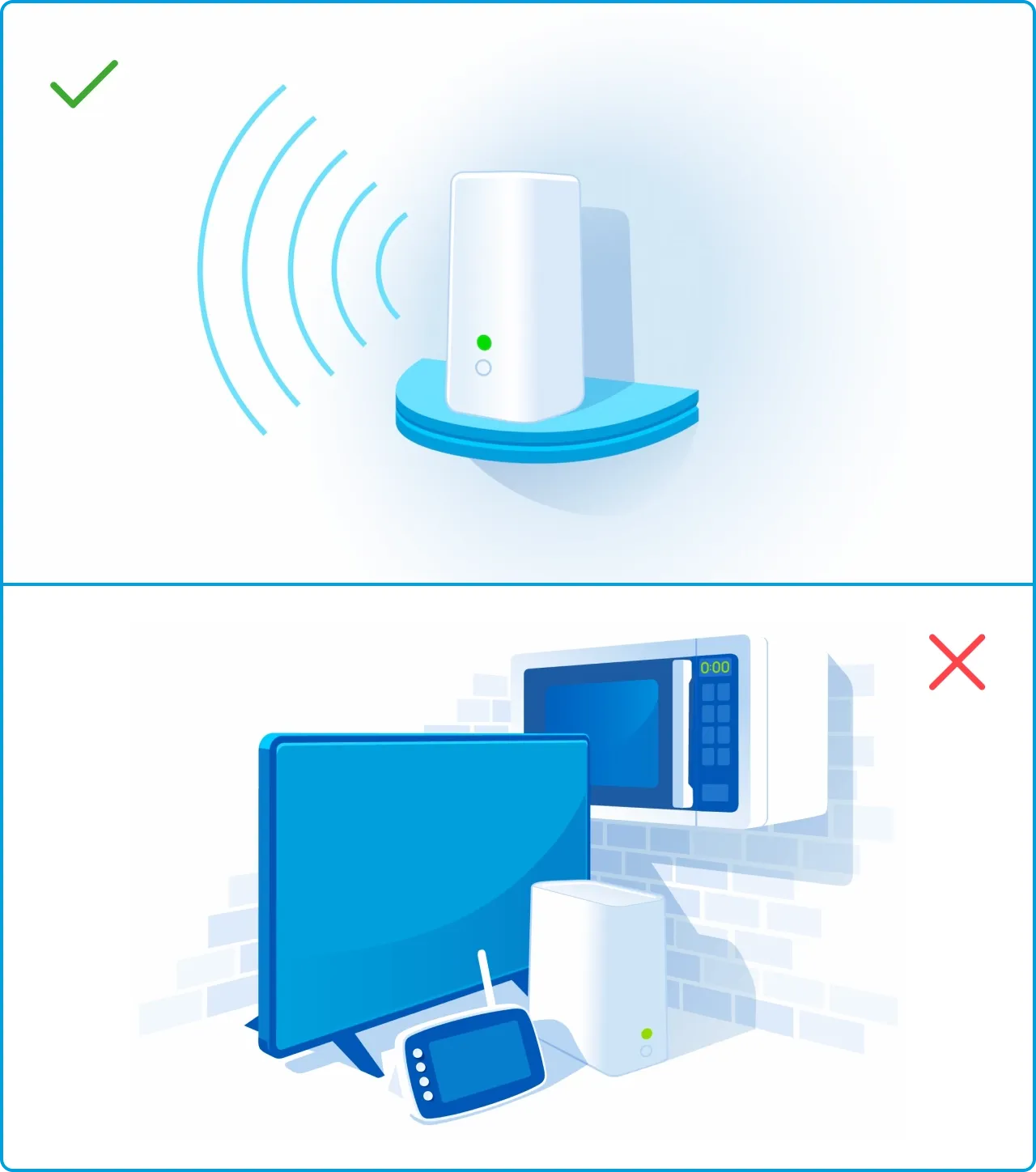
A do-and-don't graphic showing good WiFi extender placement versus blocked placement.

Fixing slow AT&T 5G Home Internet speeds

If your AT&T 5G Home Internet connection suddenly feels slow, start with the hub's location. AT&T 5G Home Internet is a fixed wireless service, so your All-Fi Hub communicates with the AT&T Wireless network. That makes placement especially important. A hub sitting behind furniture, inside a cabinet, near large appliances, or against dense walls may not receive the same signal as one placed in a more favorable location.

Try these steps:

  1. Move the All-Fi Hub closer to a window. A window-facing location can give the hub a better path to the cellular signal.
  2. Raise the hub off the floor. A higher shelf can improve reception compared with a low or enclosed location.
  3. Keep it away from obstructions and interference. Large appliances, microwaves, metal cabinets, stone or concrete walls, computer monitors, and television screens can interfere with wireless signals.
  4. Check the signal indicators. On the BGW530 and BGW830, more solid green signal lights generally indicate stronger reception. One or two lights are a reason to try another location.
  5. Run a speed test. Test your connection after moving the hub so you can compare performance rather than relying only on how fast a webpage seems.
  6. Restart the hub. A restart can clear a temporary connection problem. Give the hub time to reconnect to the network before deciding whether the problem is resolved.

If moving the hub doesn't improve performance, check its lights for an error condition. You can also use your AT&T Smart Home Manager to manage your home Wi-Fi and troubleshoot your connection. If the issue continues, you can get AT&T 5G Home Internet troubleshooting help from technical support at 800-288-2020.

Remember that 5G Internet performance can also vary because it uses the AT&T Wireless network. In rare cases, AT&T may greatly reduce speeds temporarily if usage contributes to network congestion.

A young woman sitting on the floor of a new apartment using a laptop surrounded by moving boxes.

Moving your AT&T 5G Home Internet

When moving, you shouldn't simply unplug your All-Fi Hub and take it to a different address. AT&T 5G Home Internet is tied to your designated service address, and its terms say customers may not use the service or move the equipment to another address while remaining a 5G Internet customer. Instead, contact AT&T 5G Home Internet support and arrange service for the new location.

To start, check availability at your new address. Availability is address-specific because AT&T 5G Home Internet depends on wireless coverage and network capacity.

If AT&T 5G Home Internet is available, AT&T can help you with the next steps for your new address. If another AT&T internet option, such as fiber, is available instead, you may be able to switch to that service.

If your new address isn’t eligible, don’t take your existing hub there and expect it to work. Instead, contact AT&T customer service at 800-288-2020 to cancel the current service and set up whichever internet option is available at the new address.

Canceling service and returning your equipment

If you decide to cancel AT&T 5G Home Internet, call 800-288-2020. 5G Internet service remains active until the end of your billing period, and canceling AT&T 5G Home Internet can affect discounts if it is part of a bundled account.

Don't forget the equipment. For 5G Internet, the BGW530, BGW830, and CGW450 All-Fi Hubs, along with applicable All-Fi Extenders and power supplies, typically need to be returned when your service ends. Return undamaged equipment within 21 days of the service change or disconnect date to avoid a non-return fee. Damaged equipment can also result in a fee.

To start the return process, call 800-288-2020. AT&T 5G Home Internet customer service can provide instructions and tell you exactly what to return. 

For eligible returns, take the unboxed equipment and your account number to a FedEx Office or The UPS Store, where they will scan, pack, and ship the equipment. Keep your tracking receipt until the return is confirmed.

AT&T 5G Home Internet cancellation & return checklist

1. Call to Cancel

  • Dial 800-288-2020: Request cancellation and confirm the exact equipment required for return.
  • Review impact: Confirm your billing cycle end date and check if losing the bundle alters other discounts.

2. Gather Hardware

  • Collect device & cords: Gather your All-Fi Hub (BGW530, BGW830, or CGW450), extenders, and power supplies.
  • Check condition: Ensure equipment is undamaged to avoid additional fees.

3. Return Equipment

  • Visit a drop-off location: Take unboxed equipment and your account number to a FedEx Office or The UPS Store within 21 days.
  • Save tracking receipt: Keep receipt until AT&T confirms delivery.
A woman wearing a headset and blazer talks into her microphone while working at a computer in a modern office.

Why contact us?

We're an authorized AT&T Preferred Dealer, and our role is to help customers understand their AT&T Internet options and navigate service decisions. 

  • question mark icon
    What we can help with

    We explain AT&T Internet plans, check service availability, discuss moving your internet service, and help you understand whether upgrading to AT&T Fiber makes sense where it is available.

  • left and right arrows icon
    Comparing options

    If you're considering a change, we can also help you check whether fiber is available at your address and explain how to bundle internet and wireless options.

  • lightbulb icon
    A clearer path forward

    If you're dealing with slow Internet speeds, moving your service, or deciding whether a different AT&T Internet option is a better fit, we can help you understand your choices before you change your service.

Frequently asked questions

What is the AT&T 5G Home Internet customer service number?

The AT&T 5G Home Internet (formerly Internet Air) customer service number is 800-288-2020. This number is for internet billing, account questions, and technical support, including help with existing 5G Internet service. Current listed hours are Monday through Friday from 8 a.m. to 7 p.m. CT and Saturday from 9 a.m. to 7 p.m. CT. Technical support is also listed as available Saturday and Sunday from 5 a.m. to 1 a.m. CT.

What do the lights on my All-Fi Hub mean?

The lights on your All-Fi Hub mean different things depending on your hub’s model. The BGW530 and BGW830 use four signal lights: solid green indicates signal strength, chasing amber means the hub is searching for the best signal tower, and blinking amber indicates an error whose blink count identifies the code. 

The CGW450 model uses a notification light and display. Green or yellow can indicate setup, pairing, or a speed test, while solid red indicates an error and the display provides the code.

Where should I put my All-Fi Hub for the best signal?

For the best AT&T 5G Home Internet (formerly Internet Air) reception, place your All-Fi Hub in a high, open location that’s near a window. Avoid enclosed cabinets and locations surrounded by obstructions. Also avoid potential sources of interference, such as large appliances, microwaves, metal cabinets, stone or concrete walls, computer monitors, and television screens. If your BGW530 or BGW830 shows only one or two green signal lights, try another location and compare the signal.

Why is my All-Fi Hub light off?

An All-Fi Hub light being off doesn't necessarily mean there's a problem. On the CGW450, the notification light can be off while the clock is displayed when the hub is functioning correctly. During setup, however, an off light with the clock can indicate that registration or setup in Smart Home Manager isn't complete. For the BGW530 and BGW830, the signal lights have different meanings, so identify your model before troubleshooting.

How do I restart my All-Fi Hub?

To restart your All-Fi Hub, power it off, wait briefly, and power it back on, then allow time for it to reconnect to the AT&T Wireless network. A restart can clear a temporary connectivity problem without changing your saved settings. If you're troubleshooting slow AT&T 5G Home Internet speeds, check the hub's location and signal indicators after it comes back online. If the problem persists or the hub displays an error, contact AT&T 5G Home Internet support at 800-288-2020 for additional assistance.

Is AT&T 5G Home Internet available where AT&T Fiber is?

Generally, AT&T 5G Home Internet (formerly Internet Air) is offered where AT&T Fiber isn't available, but your specific address and network conditions determine eligibility. AT&T 5G Home Internet is a fixed wireless service, while Fiber is a wired fiber-optic service. If you're moving or considering an upgrade, check availability in your area to see which service is currently offered at your location.